
Try the app without a meter
Pick a feature and watch it run. The readings here are made up; in the app they come from your own multimeter over Bluetooth.
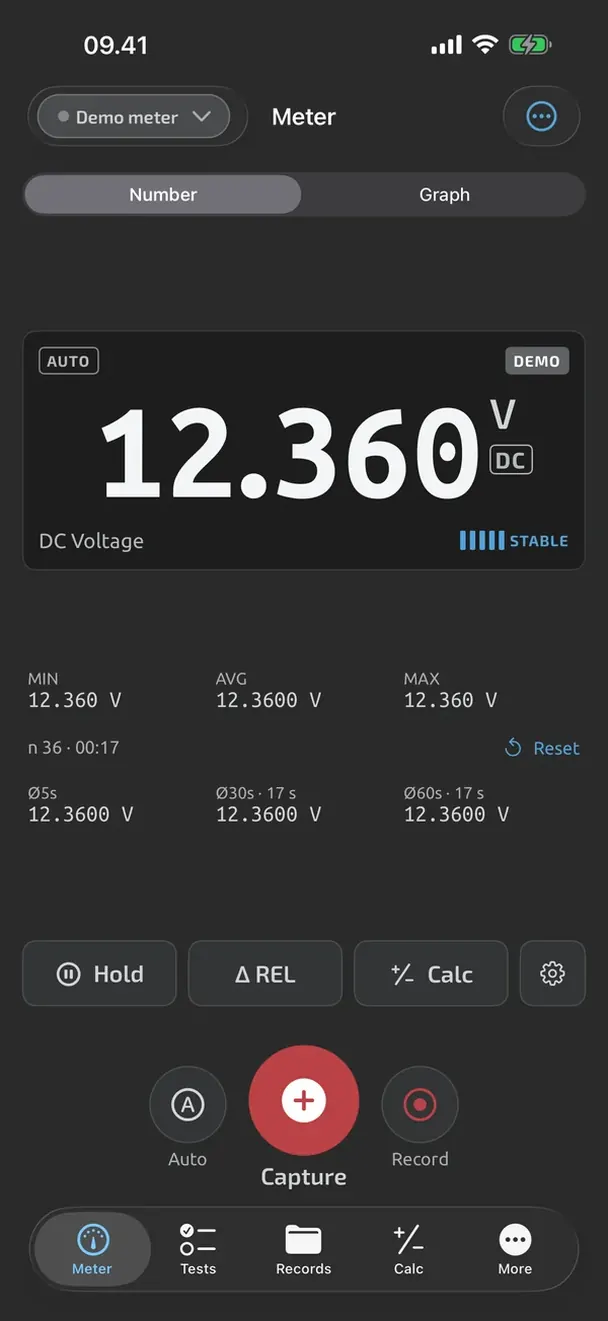
Phone simulation: Live meter
Six features to try
TestNMeasure turns a Bluetooth multimeter into a test bench on your iPhone or iPad. This demo plays the main features in a phone simulation, so you can see how they work before you install the app or connect a meter.
Nothing here is measured: every number is part of a short script. The app itself is free on the App Store and reads OWON and ZOYI Bluetooth multimeters.
- Live meterThe number moves the way a real meter does. Hold freezes it, Graph shows the last 30 seconds, Capture saves the reading to Records.
- Guided test with pass and failA wiring harness, pin by pin. Each reading is captured by itself and marked PASS or FAIL against the limit. Pin 7 fails, and the app says why.
- ReportThe finished test is a file with every step, value and verdict. Share it as PDF or Excel with your name and logo on it.
- Battery testerPick the battery type and touch the probes to it. The app says FULL, GOOD, WEAK or REPLACE and what to do next.Coming in an app update
- Battery load testA worn battery can read fine at rest. Two seconds on a resistor show how far the voltage drops and what the internal resistance is.Coming in an app update
- Car battery testStages on the car battery: at rest, while cranking, while charging, and ripple. The summary says whether the battery and the alternator are fine.Coming in an app update
On testnmeasure.app
- All TestNMeasure features
- What is free, and what Pro and Cloud add
- Multimeter guides and how-tos
- See the supported OWON and ZOYI meters
- TestNMeasure on the App Store
iPhone and iPad (iOS 17 or later): free on the App Store. Android later.